



1
Connect your stack
Connect your app’s origin stack to Tensor9.
Tensor9 supports origin stacks defined in: Terraform/OpenTofu, CloudFormation,
Kubernetes Manifests/Helm, and Docker Compose/Containers.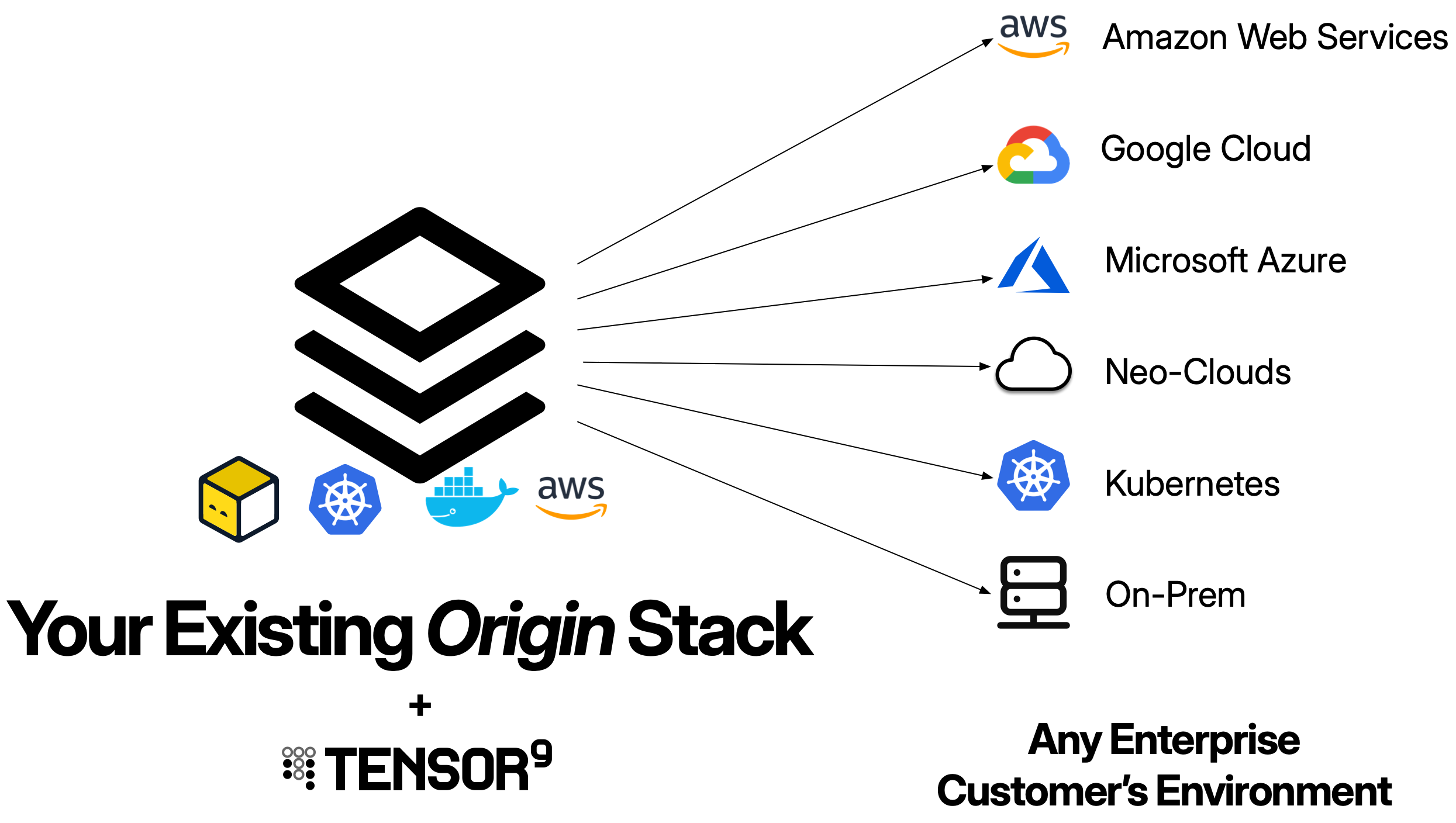
2
Create an appliance
Create an appliance for the customer environment you want to deploy to.
An appliance is defined by its form factor, which specifies the target environment like
Amazon Web Services, Google Cloud, Microsoft Azure, Digital Ocean, or a customer-provided Kubernetes cluster,
as well as which managed cloud services are required.
You create an appliance using
tensor9 CLI.3
Compile your stack
Use
tensor9 CLI to compile your origin stack into a deployment stack for your new appliance.
Tensor9 compiles your stack for the form factor of that appliance.
For example, if your appliance is running in DigitalOcean on Kubernetes,
then the compilation process will automatically replace an AWS load balancer
in your origin stack with a Kubernetes ingress exposed via a DigitalOcean load balancer,
and similarly replace AWS Aurora Postgres in your origin stack with a DigitalOcean
managed Postgres instance.4
Deploy to an appliance
Use standard tooling to deploy your deployment stack to a customer appliance.
For example, if your origin stack is defined using Terraform/OpenTofu,
then invoke
terraform apply or tofu apply on a deployment stack to deploy
that stack to the appliance it was compiled for.5
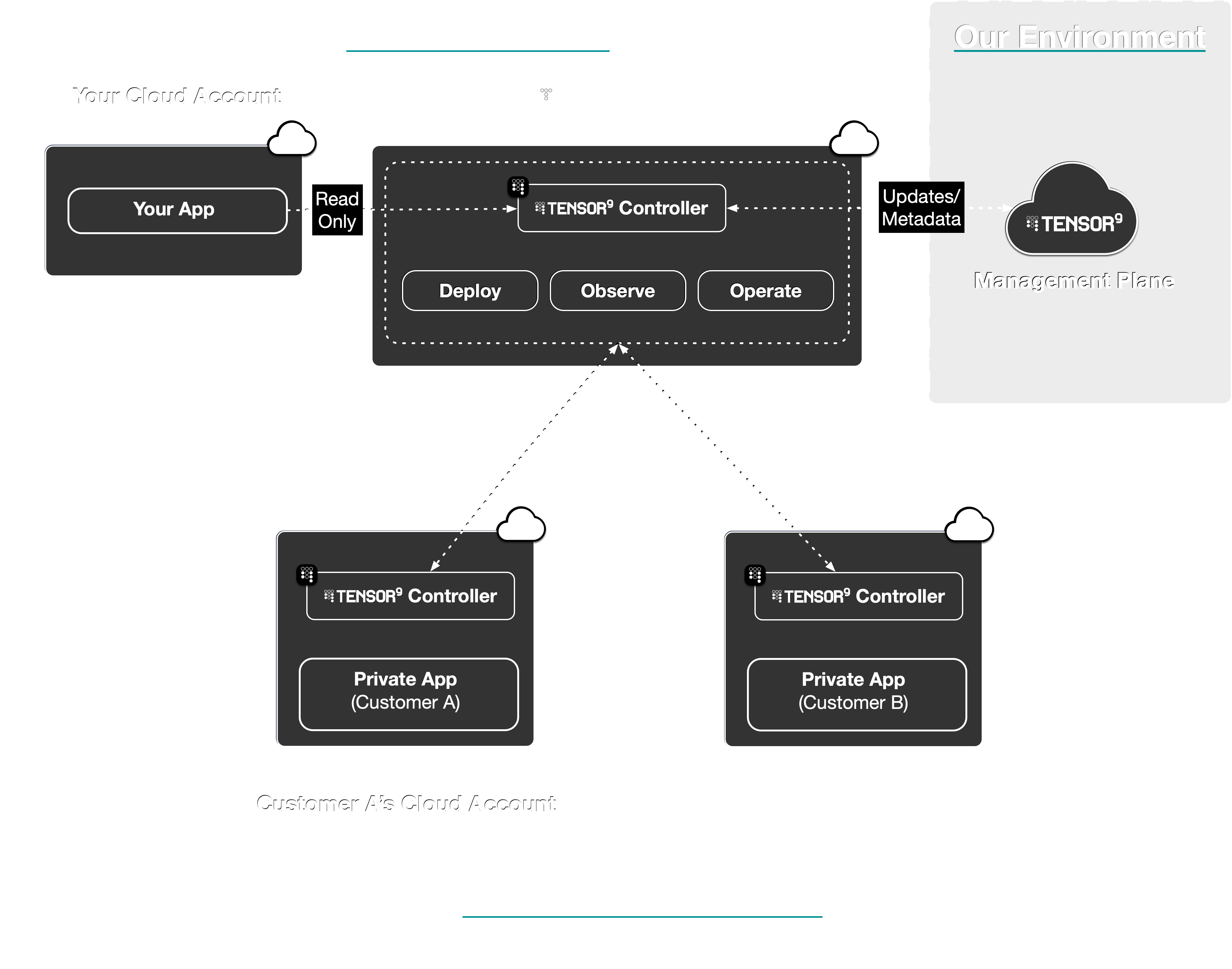
Observe & operate appliances
Observe the state, performance, and usage of deployed
resources in customer appliances; with metrics, logs, and
traces asynchronously synchronized back to your observability sink of choice.You can also operate deployed resources within customer appliances.
For example, execute
kubectl commands or request temporary, scoped access to cloud resources via IAM.
Your customers must approve any commands or temporary access your request.How Tensor9 compares to building it yourself
| Feature | With Tensor9 | Without Tensor9 |
|---|---|---|
| Service Equivalents | Maintain a single origin stack. Tensor9 maps cloud services to their equivalents in the target environment during compilation (e.g., RDS → Cloud SQL, S3 → GCS). | Maintain separate infrastructure code for each cloud provider. Port resources manually and keep feature parity across cloud-specific APIs. |
| Deployments | Tensor9 compiles your origin stack into a deployment stack for a private appliance in your customer’s environment. Deploy using standard tooling locally (terraform apply, tofu apply), and Tensor9 applies changes to the corresponding appliance through a secure channel. | Manually set up a deployment pipeline unique to each customer environment. Request temporary access to customer infrastructure (VPN, IAM roles) for each deployment and execute operations manually. |
| Observability | Telemetry (logs, metrics, traces) flows from appliances to your observability sink. Tensor9 configures forwarding automatically based on your origin stack. | Set up monitoring agents, configure log forwarding, and manage telemetry infrastructure separately in each customer environment. |
| Operations | Execute operations commands remotely through your control plane with customer approval workflows and audit logging. | Request and manage temporary access credentials for each operation. Coordinate with customers for access to their infrastructure. |
| Artifacts | Tensor9 identifies artifacts in your origin stack and copies them to appliance-local storage during deployment (container images, S3 objects). | Build artifact replication and distribution systems. Manage credentials for artifact access across customer environments. |
| Secrets | Store customer-specific secrets in your control plane with access controls defining vendor vs. customer-only access. | Manage secrets across multiple systems. Coordinate with customers for secret injection and rotation. |
| Endpoints and DNS | Tensor9 provisions DNS records for each appliance under a domain you specify (vendor-owned or customer-owned) with delegation to customer infrastructure where appropriate. | Coordinate with customer network teams to configure DNS for each deployment. |