
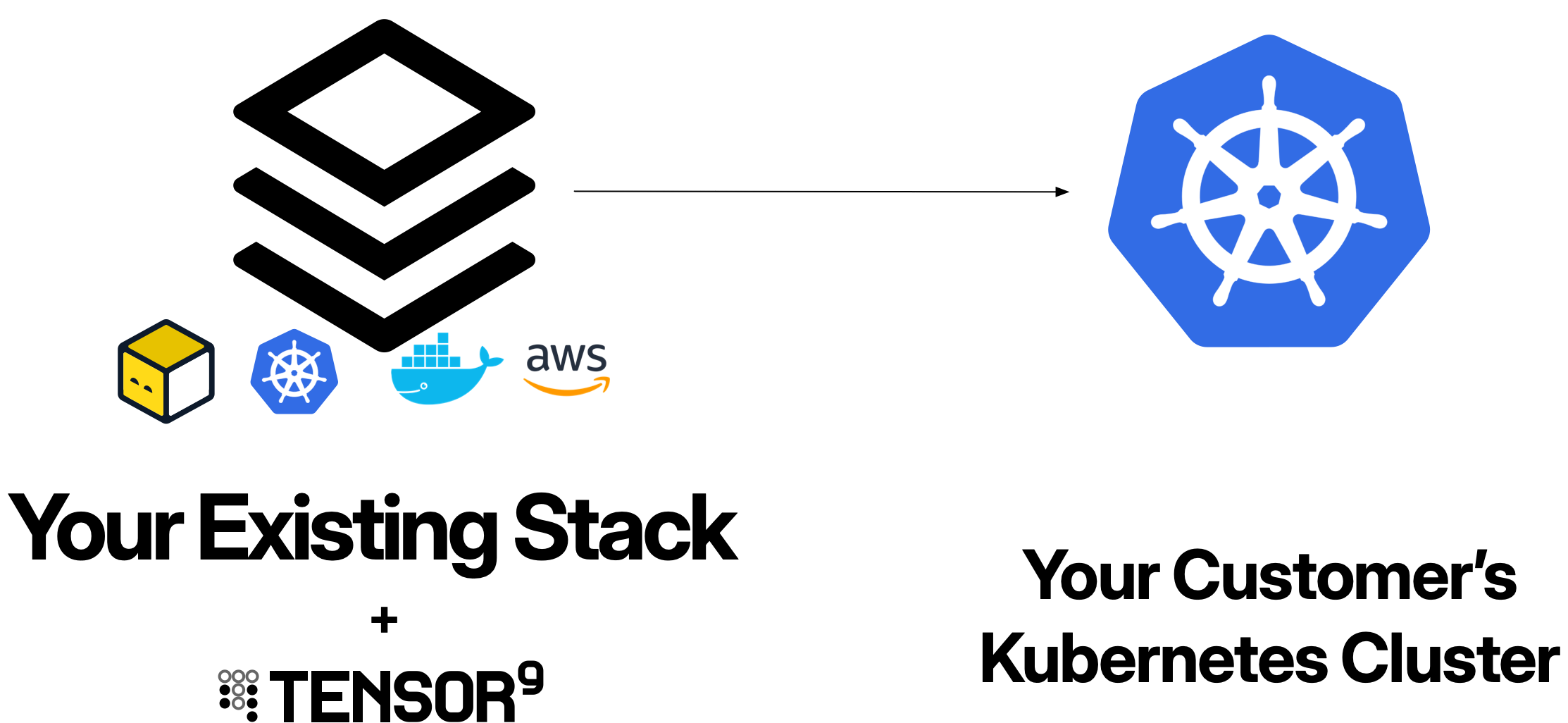
Private Kubernetes is a fully supported deployment platform for Tensor9 appliances. Deploying to customer-managed Kubernetes clusters provides flexibility for customers who want to run appliances in their own Kubernetes infrastructure, whether on-premises, in private data centers, or on self-managed cloud Kubernetes.

Overview

When you deploy an application to Private Kubernetes environments using Tensor9:
  • Customer appliances run entirely within the customer’s Kubernetes cluster
  • Your control plane orchestrates deployments from your dedicated Tensor9 AWS account
  • Kubernetes RBAC enables your control plane to manage customer appliances with customer-approved permissions
  • Kubernetes-native resources define your application infrastructure
Private Kubernetes appliances leverage Kubernetes primitives (Deployments, Services, Ingress, ConfigMaps, Secrets) for compute, storage, networking, and configuration, providing a cloud-agnostic deployment model that works across any Kubernetes distribution.

Prerequisites

Before deploying appliances to Private Kubernetes environments, ensure:

Your control plane

  • Dedicated AWS account for your Tensor9 control plane
  • Control plane installed - See Installing Tensor9
  • Origin stack published - Your application infrastructure defined and uploaded

Customer Kubernetes cluster

Your customers must provide:
  • Kubernetes cluster (version 1.24+) where the appliance will be deployed
  • Cluster access credentials (kubeconfig) for the four-phase permissions model
  • ServiceAccounts configured for the four-phase permissions model (Install, Steady-state, Deploy, Operate)
  • Sufficient cluster resources (CPU, memory, storage) for your application’s needs
  • Two namespaces:
    • One for the Tensor9 controller (e.g., tensor9-system)
    • One for your application (e.g., acme-corp-prod)
  • Ingress controller (optional, for external traffic)

Your development environment

  • kubectl installed and configured
  • Helm installed (required for customer controller installation)
  • Terraform or OpenTofu (if using Terraform origin stacks with Kubernetes provider)

How Private Kubernetes appliances work

Private Kubernetes appliances are deployed using Kubernetes-native resources orchestrated by your Tensor9 control plane.
1

Customer creates namespaces and installs Tensor9 controller

You provide your customer with a signup link (hosted on your vanity domain, e.g., https://tensor9.vendor.co) that walks them through the setup process. The signup flow provides them with:
  • Customized namespace names for their appliance
  • A Helm chart download link (hosted from your vanity domain)
  • RBAC configuration templates for their specific deployment
Your customer completes the setup by:
  1. Creating two namespaces in their Kubernetes cluster:
    kubectl create namespace tensor9-system
    kubectl create namespace acme-corp-prod
    
  2. Downloading and installing the Tensor9 controller via the Helm chart provided in the signup flow:
    # Download the Helm chart from your signup link
    curl -O https://tensor9.vendor.co/helm/controller-000000007e.tgz
    
    # Install the controller in the controller namespace
    helm install tensor9-controller ./controller-000000007e.tgz \
      --namespace tensor9-system \
      --set appNamespace=acme-corp-prod
    
  3. Creating four ServiceAccounts with RBAC permissions using the templates from the signup flow. Each ServiceAccount corresponds to a permission phase: Install, Steady-state, Deploy, and Operate. These ServiceAccounts define what the Tensor9 controller can do within their cluster.
The customer configures RBAC Roles and RoleBindings (or ClusterRoles and ClusterRoleBindings) that grant appropriate permissions to each ServiceAccount in both namespaces.
2

You create a release for the customer appliance

You create a release targeting the customer’s appliance:
tensor9 stack release create \
  -appName my-app \
  -customerName acme-corp \
  -vendorVersion "1.0.0" \
  -description "Initial production deployment"
Your control plane compiles your origin stack into a deployment stack tailored for Kubernetes. The deployment stack downloads to your local environment.
3

Customer grants deploy access

The customer approves the deployment by providing kubeconfig credentials for the Deploy ServiceAccount or updating RBAC to allow the Tensor9 controller to use the Deploy ServiceAccount.Once approved, the Tensor9 controller in the appliance can use the Deploy ServiceAccount to create resources in the customer’s cluster.
4

You deploy the release

You run the deployment locally against the downloaded deployment stack:
cd acme-corp-production
tofu init
tofu apply
The deployment stack uses the Terraform Kubernetes provider to create your application resources in the customer’s cluster:
  • Deployments, StatefulSets, DaemonSets (in the application namespace)
  • Services (ClusterIP, LoadBalancer)
  • Ingress resources
  • ConfigMaps and Secrets
  • PersistentVolumeClaims
  • Any other Kubernetes resources defined in your origin stack
The Terraform provider connects to the customer’s cluster using the Deploy ServiceAccount credentials (provided via kubeconfig), and the Tensor9 controller (already installed in the controller namespace) monitors the deployment.
5

Steady-state observability begins

After deployment, your control plane uses the Steady-state ServiceAccount to continuously collect observability data (logs, metrics) from the customer’s appliance without requiring additional approvals.This data flows to your observability sink, giving you visibility into appliance health and performance.

Service equivalents

When you deploy an origin stack to Private Kubernetes environments, Tensor9 automatically compiles resources from your AWS origin stack to their Kubernetes equivalents.

How service equivalents work

When compiling a deployment stack for Private Kubernetes:
  1. AWS resources are compiled - AWS resources are converted to their Kubernetes equivalents
  2. Container resources are adapted - Container-based resources (ECS, Lambda) are converted to Kubernetes Deployments, StatefulSets, or Jobs
  3. Configuration is adjusted - Resource configurations are modified to match Kubernetes conventions and best practices

Common service equivalents

Service CategoryAWSPrivate Kubernetes Equivalent
ContainersEKS, ECSKubernetes
FunctionsLambdaKnative (unmanaged)
NetworkingVPC-
Load balancingLoad BalancerCloudflare (optional)
DNSRoute 53Cloudflare (optional)
Identity and access managementIAM-
Object storageS3Backblaze B2, MinIO (unmanaged)
Databases (PostgreSQL)RDS Aurora PostgreSQL, RDS PostgreSQLNeon, CloudNative PostgreSQL (unmanaged)
Databases (MySQL)RDS Aurora MySQL, RDS MySQLPlanetScale, MySQL (unmanaged)
Databases (MongoDB)DocumentDBMongoDB Atlas, MongoDB (unmanaged)
CachingElastiCacheRedis Enterprise Cloud, Redis (unmanaged)
Message streamingMSK (Managed Streaming for Kafka)Confluent Cloud, Kafka (unmanaged)
SearchOpenSearch ServiceOpenSearch (unmanaged)
WorkflowMWAA (Managed Airflow)Astronomer, Airflow (unmanaged)
AnalyticsAmazon AthenaPresto (unmanaged)
Third-party managed equivalents (Backblaze B2, Neon, PlanetScale, MongoDB Atlas, Redis Enterprise Cloud, Confluent Cloud, Astronomer) require your customers to bring their own credentials and accounts with these services.
Some popular AWS services (EC2, DynamoDB, EFS) are not currently supported. See Unsupported AWS services for the full list and recommended alternatives.

Example: Compiling an AWS origin stack

If your origin stack defines an ECS Fargate service:
# Origin stack (AWS)
resource "aws_ecs_service" "api" {
  name            = "myapp-api-${var.instance_id}"
  cluster         = aws_ecs_cluster.main.id
  task_definition = aws_ecs_task_definition.api.arn
  desired_count   = 3

  launch_type = "FARGATE"

  network_configuration {
    subnets         = var.subnet_ids
    security_groups = [aws_security_group.api.id]
  }
}

resource "aws_ecs_task_definition" "api" {
  family                   = "myapp-api-${var.instance_id}"
  requires_compatibilities = ["FARGATE"]
  network_mode             = "awsvpc"
  cpu                      = "512"
  memory                   = "1024"

  container_definitions = jsonencode([{
    name  = "api"
    image = "myapp/api:1.0.0"
    portMappings = [{
      containerPort = 8080
      protocol      = "tcp"
    }]
    environment = [
      { name = "INSTANCE_ID", value = var.instance_id }
    ]
  }])
}
Tensor9 compiles it to a Kubernetes Deployment:
# Deployment stack (Kubernetes)
apiVersion: apps/v1
kind: Deployment
metadata:
  name: myapp-api
  namespace: acme-corp-prod
  labels:
    app: myapp-api
    instance-id: "000000007e"
spec:
  replicas: 3
  selector:
    matchLabels:
      app: myapp-api
  template:
    metadata:
      labels:
        app: myapp-api
        instance-id: "000000007e"
    spec:
      containers:
        - name: api
          image: myapp/api:1.0.0
          ports:
            - containerPort: 8080
              protocol: TCP
          env:
            - name: INSTANCE_ID
              value: "000000007e"
          resources:
            requests:
              cpu: "512m"
              memory: "1024Mi"
            limits:
              cpu: "512m"
              memory: "1024Mi"

Supported Kubernetes distributions

Tensor9 supports deploying to any standard Kubernetes cluster that conforms to the Kubernetes API specification (version 1.24+):
DistributionEnvironmentNotes
Vanilla KubernetesOn-premises, bare metalSelf-managed Kubernetes clusters
K3sEdge, IoT, resource-constrainedLightweight Kubernetes distribution
MicroK8sDeveloper workstations, edgeCanonical’s minimal Kubernetes
RKE/RKE2On-premises, enterpriseRancher Kubernetes distributions
OpenShiftOn-premises, hybrid cloudRed Hat’s Kubernetes platform
Tanzu Kubernetes GridOn-premises, VMware environmentsVMware’s enterprise Kubernetes
Self-managed EKS/GKE/AKSCloud (self-managed)Customer-managed clusters in cloud providers

Permissions model

Private Kubernetes appliances use a four-phase ServiceAccount permissions model that balances operational capability with customer control.

The four permission phases

PhaseServiceAccountPurposeAccess Pattern
Installtensor9-installInitial setup, major infrastructure changes (CRDs, namespaces)Customer-approved, rare
Steady-statetensor9-steadystateContinuous observability collection (read-only)Active by default
Deploytensor9-deployDeployments, updates, configuration changesCustomer-approved, time-bounded
Operatetensor9-operateRemote operations, troubleshooting, debuggingCustomer-approved, time-bounded

ServiceAccount and RBAC structure

Each ServiceAccount is created in the customer’s Kubernetes cluster with RBAC policies that grant appropriate permissions to both the controller namespace and the application namespace. Example: Deploy ServiceAccount with scoped permissions
# Deploy ServiceAccount (in controller namespace)
apiVersion: v1
kind: ServiceAccount
metadata:
  name: tensor9-deploy
  namespace: tensor9-system
  labels:
    instance-id: "000000007e"
    phase: deploy

---
# Role for controller namespace
apiVersion: rbac.authorization.k8s.io/v1
kind: Role
metadata:
  name: tensor9-deploy-controller-role
  namespace: tensor9-system
rules:
  # Allow managing controller deployment
  - apiGroups: ["apps"]
    resources: ["deployments"]
    verbs: ["get", "list", "watch", "create", "update", "patch", "delete"]

  # Allow managing controller configmaps
  - apiGroups: [""]
    resources: ["configmaps", "secrets"]
    verbs: ["get", "list", "watch", "create", "update", "patch", "delete"]

---
# Role for application namespace
apiVersion: rbac.authorization.k8s.io/v1
kind: Role
metadata:
  name: tensor9-deploy-app-role
  namespace: acme-corp-prod
rules:
  # Allow creating and managing deployments
  - apiGroups: ["apps"]
    resources: ["deployments", "statefulsets", "daemonsets", "replicasets"]
    verbs: ["get", "list", "watch", "create", "update", "patch", "delete"]

  # Allow managing services
  - apiGroups: [""]
    resources: ["services"]
    verbs: ["get", "list", "watch", "create", "update", "patch", "delete"]

  # Allow managing configmaps and secrets
  - apiGroups: [""]
    resources: ["configmaps", "secrets"]
    verbs: ["get", "list", "watch", "create", "update", "patch", "delete"]

  # Allow managing ingress
  - apiGroups: ["networking.k8s.io"]
    resources: ["ingresses"]
    verbs: ["get", "list", "watch", "create", "update", "patch", "delete"]

  # Allow managing persistent volume claims
  - apiGroups: [""]
    resources: ["persistentvolumeclaims"]
    verbs: ["get", "list", "watch", "create", "update", "patch", "delete"]

  # Allow reading pods for status
  - apiGroups: [""]
    resources: ["pods", "pods/log"]
    verbs: ["get", "list", "watch"]

---
# RoleBinding for controller namespace
apiVersion: rbac.authorization.k8s.io/v1
kind: RoleBinding
metadata:
  name: tensor9-deploy-controller-binding
  namespace: tensor9-system
subjects:
  - kind: ServiceAccount
    name: tensor9-deploy
    namespace: tensor9-system
roleRef:
  kind: Role
  name: tensor9-deploy-controller-role
  apiGroup: rbac.authorization.k8s.io

---
# RoleBinding for application namespace
apiVersion: rbac.authorization.k8s.io/v1
kind: RoleBinding
metadata:
  name: tensor9-deploy-app-binding
  namespace: acme-corp-prod
subjects:
  - kind: ServiceAccount
    name: tensor9-deploy
    namespace: tensor9-system
roleRef:
  kind: Role
  name: tensor9-deploy-app-role
  apiGroup: rbac.authorization.k8s.io
The Deploy ServiceAccount can:
  • Create and manage the Tensor9 controller in the controller namespace
  • Create and manage application resources in the application namespace
  • Perform operations allowed by the Roles
  • Access resources labeled with the appliance’s instance-id
Customers control when and how long deploy access is granted by providing or revoking the kubeconfig for the ServiceAccount. Example: Steady-state ServiceAccount (read-only observability)
# Steady-state ServiceAccount (in controller namespace)
apiVersion: v1
kind: ServiceAccount
metadata:
  name: tensor9-steadystate
  namespace: tensor9-system
  labels:
    instance-id: "000000007e"
    phase: steadystate

---
# Role for controller namespace (read-only)
apiVersion: rbac.authorization.k8s.io/v1
kind: Role
metadata:
  name: tensor9-steadystate-controller-role
  namespace: tensor9-system
rules:
  # Read-only access to controller pods and logs
  - apiGroups: [""]
    resources: ["pods", "pods/log"]
    verbs: ["get", "list", "watch"]

  # Read-only access to controller deployment
  - apiGroups: ["apps"]
    resources: ["deployments"]
    verbs: ["get", "list", "watch"]

  # Read-only access to events
  - apiGroups: [""]
    resources: ["events"]
    verbs: ["get", "list", "watch"]

---
# Role for application namespace (read-only)
apiVersion: rbac.authorization.k8s.io/v1
kind: Role
metadata:
  name: tensor9-steadystate-app-role
  namespace: acme-corp-prod
rules:
  # Read-only access to pods and logs
  - apiGroups: [""]
    resources: ["pods", "pods/log"]
    verbs: ["get", "list", "watch"]

  # Read-only access to deployments and statefulsets
  - apiGroups: ["apps"]
    resources: ["deployments", "statefulsets", "daemonsets", "replicasets"]
    verbs: ["get", "list", "watch"]

  # Read-only access to services and ingress
  - apiGroups: [""]
    resources: ["services"]
    verbs: ["get", "list", "watch"]

  - apiGroups: ["networking.k8s.io"]
    resources: ["ingresses"]
    verbs: ["get", "list", "watch"]

  # Read-only access to events
  - apiGroups: [""]
    resources: ["events"]
    verbs: ["get", "list", "watch"]

---
# RoleBinding for controller namespace
apiVersion: rbac.authorization.k8s.io/v1
kind: RoleBinding
metadata:
  name: tensor9-steadystate-controller-binding
  namespace: tensor9-system
subjects:
  - kind: ServiceAccount
    name: tensor9-steadystate
    namespace: tensor9-system
roleRef:
  kind: Role
  name: tensor9-steadystate-controller-role
  apiGroup: rbac.authorization.k8s.io

---
# RoleBinding for application namespace
apiVersion: rbac.authorization.k8s.io/v1
kind: RoleBinding
metadata:
  name: tensor9-steadystate-app-binding
  namespace: acme-corp-prod
subjects:
  - kind: ServiceAccount
    name: tensor9-steadystate
    namespace: tensor9-system
roleRef:
  kind: Role
  name: tensor9-steadystate-app-role
  apiGroup: rbac.authorization.k8s.io
The Steady-state ServiceAccount:
  • Can only read resources in both the controller and application namespaces
  • Cannot modify, delete, or create any resources
  • Cannot access secrets or configmaps (unless explicitly granted)
  • Allows continuous monitoring without customer intervention

Deployment workflow with ServiceAccounts

1

Customer grants deploy access

Customer approves a deployment by providing kubeconfig credentials for the Deploy ServiceAccount or updating the RoleBinding to allow the Tensor9 controller to assume the Deploy ServiceAccount.
2

You execute deployment locally

You run the deployment locally against the downloaded deployment stack:
cd acme-corp-production
tofu init
tofu apply
The deployment creates all Kubernetes resources in the customer’s cluster.
3

Terraform creates resources using Deploy ServiceAccount

The Terraform Kubernetes provider uses the Deploy ServiceAccount credentials (provided via kubeconfig) to create resources in the customer’s cluster.All infrastructure changes occur within the customer’s namespaces (controller and application) using the Deploy ServiceAccount permissions.
4

Deploy access expires

After the deployment window expires or the customer revokes access, the Deploy ServiceAccount credentials can no longer be used. Your control plane automatically reverts to using only the Steady-state ServiceAccount for observability.
See Permissions Model for detailed information on all four phases.

Networking

Private Kubernetes appliances use standard Kubernetes networking primitives for both internal and external connectivity.

Tensor9 controller Deployment

When an appliance is deployed, Tensor9 creates a dedicated Deployment for the Tensor9 controller in the customer’s controller namespace (e.g., tensor9-system). The controller:
  • Communicates outbound to your Tensor9 control plane over HTTPS
  • Manages appliance resources using the customer’s ServiceAccount credentials
  • Forwards observability data to your observability sink
  • Does not accept inbound connections - all communication is outbound-only
# Example: Controller Deployment (managed by Tensor9)
apiVersion: apps/v1
kind: Deployment
metadata:
  name: tensor9-controller
  namespace: tensor9-system
  labels:
    app: tensor9-controller
    instance-id: "000000007e"
spec:
  replicas: 2
  selector:
    matchLabels:
      app: tensor9-controller
  template:
    metadata:
      labels:
        app: tensor9-controller
        instance-id: "000000007e"
    spec:
      serviceAccountName: tensor9-controller
      containers:
        - name: controller
          image: tensor9/controller:v1.0.0
          env:
            - name: INSTANCE_ID
              value: "000000007e"
            - name: CONTROL_PLANE_URL
              value: "https://control-plane.tensor9.io"
            - name: APP_NAMESPACE
              value: "acme-corp-prod"
          resources:
            requests:
              cpu: "100m"
              memory: "128Mi"
            limits:
              cpu: "500m"
              memory: "512Mi"

---
# Controller Service (ClusterIP - internal only)
apiVersion: v1
kind: Service
metadata:
  name: tensor9-controller
  namespace: tensor9-system
spec:
  type: ClusterIP
  selector:
    app: tensor9-controller
  ports:
    - port: 8080
      targetPort: 8080
      protocol: TCP
The Tensor9 controller only makes outbound HTTPS connections and does not expose any inbound ports, ensuring the customer’s cluster cannot be compromised via inbound network attacks.

Application networking

Your application resources use standard Kubernetes Services and Ingress for networking: Internal communication (ClusterIP Services)
# Internal API service
apiVersion: v1
kind: Service
metadata:
  name: myapp-api
  namespace: acme-corp-prod
  labels:
    instance-id: "000000007e"
spec:
  type: ClusterIP
  selector:
    app: myapp-api
  ports:
    - port: 8080
      targetPort: 8080
      protocol: TCP
External access (LoadBalancer or Ingress) For external access, use either a LoadBalancer Service (if supported by the cluster) or an Ingress resource:
# LoadBalancer Service (if cluster supports it)
apiVersion: v1
kind: Service
metadata:
  name: myapp-external
  namespace: acme-corp-prod
  labels:
    instance-id: "000000007e"
spec:
  type: LoadBalancer
  selector:
    app: myapp-api
  ports:
    - port: 443
      targetPort: 8080
      protocol: TCP

---
# Or use Ingress
apiVersion: networking.k8s.io/v1
kind: Ingress
metadata:
  name: myapp-ingress
  namespace: acme-corp-prod
  labels:
    instance-id: "000000007e"
  annotations:
    cert-manager.io/cluster-issuer: "letsencrypt-prod"
spec:
  ingressClassName: nginx
  tls:
    - hosts:
        - myapp-000000007e.customer.com
      secretName: myapp-tls
  rules:
    - host: myapp-000000007e.customer.com
      http:
        paths:
          - path: /
            pathType: Prefix
            backend:
              service:
                name: myapp-api
                port:
                  number: 8080

Resource naming and labeling

Since each appliance runs in its own dedicated namespace, resource names don’t need to include the instance_id for uniqueness. However, labeling resources with instance-id is still important for observability and tracking.

Resource naming

Use descriptive names for your Kubernetes resources:
apiVersion: apps/v1
kind: Deployment
metadata:
  name: myapp-api
  namespace: acme-corp-prod
  labels:
    app: myapp-api
    instance-id: "000000007e"
spec:
  replicas: 3
  selector:
    matchLabels:
      app: myapp-api
  template:
    metadata:
      labels:
        app: myapp-api
        instance-id: "000000007e"
    spec:
      containers:
        - name: api
          image: myapp/api:1.0.0
          env:
            - name: INSTANCE_ID
              value: "000000007e"

Required labels

Label all resources with instance-id to enable observability and tracking:
labels:
  instance-id: "000000007e"
  application: "my-app"
  managed-by: "tensor9"
The instance-id label:
  • Allows filtering of observability data by appliance
  • Helps track resource usage and costs per appliance
  • Facilitates resource discovery by Tensor9 controllers
  • Enables correlation of resources across namespaces (controller + application)

Ingress hostnames

For Ingress resources, use a hostname that includes the instance_id to ensure uniqueness across appliances:
apiVersion: networking.k8s.io/v1
kind: Ingress
metadata:
  name: myapp-ingress
  namespace: acme-corp-prod
  labels:
    instance-id: "000000007e"
spec:
  rules:
    - host: myapp-000000007e.customer.com  # Include instance_id in hostname
      http:
        paths:
          - path: /
            pathType: Prefix
            backend:
              service:
                name: myapp-api
                port:
                  number: 8080

Observability

Private Kubernetes appliances provide observability through standard Kubernetes logging and metrics.

Container logs

Application logs from containers are collected via kubectl:
# View logs for all pods in the appliance
kubectl logs -n acme-corp-prod -l instance-id=000000007e --tail=100

# Stream logs for a specific deployment
kubectl logs -n acme-corp-prod -l app=myapp-api,instance-id=000000007e -f
Your control plane uses the Steady-state ServiceAccount to continuously fetch logs and forward them to your observability sink.

Metrics

Kubernetes metrics (via Metrics Server) Basic resource metrics are available if the cluster has Metrics Server installed:
# View pod resource usage
kubectl top pods -n acme-corp-prod -l instance-id=000000007e

# View node resource usage
kubectl top nodes
Prometheus metrics (recommended) For comprehensive metrics, recommend that customers install Prometheus:
# ServiceMonitor for Prometheus scraping
apiVersion: monitoring.coreos.com/v1
kind: ServiceMonitor
metadata:
  name: myapp-metrics
  namespace: acme-corp-prod
  labels:
    instance-id: "000000007e"
spec:
  selector:
    matchLabels:
      app: myapp-api
      instance-id: "000000007e"
  endpoints:
    - port: metrics
      interval: 30s
      path: /metrics

Events

Kubernetes Events provide insight into cluster operations:
# View recent events
kubectl get events -n acme-corp-prod \
  --field-selector involvedObject.labels.instance-id=000000007e \
  --sort-by='.lastTimestamp'
Your control plane’s Steady-state ServiceAccount can read Events to track deployments, failures, and scaling operations.

Distributed tracing (optional)

For distributed tracing, recommend that customers install Jaeger or other OpenTelemetry-compatible collectors. Configure your application to send traces to the collector endpoint:
apiVersion: apps/v1
kind: Deployment
metadata:
  name: myapp-api
  namespace: acme-corp-prod
  labels:
    instance-id: "000000007e"
spec:
  template:
    spec:
      containers:
        - name: api
          env:
            - name: OTEL_EXPORTER_OTLP_ENDPOINT
              value: "http://jaeger-collector:4318"
            - name: OTEL_SERVICE_NAME
              value: "myapp-api"

Artifacts

Private Kubernetes appliances use container registries to store container images deployed by your deployment stacks.

Container images

Customer-managed registry Customers can configure their own container registry (Harbor, Nexus, JFrog Artifactory, etc.):
# Pull from customer's private registry
apiVersion: apps/v1
kind: Deployment
metadata:
  name: myapp-api
  namespace: acme-corp-prod
  labels:
    instance-id: "000000007e"
spec:
  template:
    spec:
      # Image pull secret for customer's registry
      imagePullSecrets:
        - name: registry-credentials
      containers:
        - name: api
          image: registry.customer.com/myapp/api:1.0.0
Tensor9-managed registry copy Alternatively, Tensor9 can automatically copy images to the customer’s cluster-local registry:
  1. Detects the container image reference in your Kubernetes manifests
  2. Provisions image pull configuration for the customer’s registry
  3. Copies the container image from your vendor registry to the customer’s registry
  4. Rewrites the deployment stack to reference the customer-local registry

Artifact lifecycle

Container artifacts are tied to the deployment lifecycle:
  • Deploy (tofu apply): Images are pulled from the configured registry
  • Destroy (tofu destroy): Deleting the deployment stops using the images (cleanup depends on registry retention policies)
See Artifacts for comprehensive documentation on artifact management.

Secrets management

Store secrets in AWS Secrets Manager or AWS Systems Manager Parameter Store in your AWS origin stack. Tensor9 will copy the secret values and inject them as Kubernetes Secrets that get mounted as environment variables.

Secret injection pattern

Define secrets in your origin stack:
# AWS Secrets Manager secret
resource "aws_secretsmanager_secret" "db_password" {
  name = "${var.instance_id}/prod/db/password"

  tags = {
    "instance-id" = var.instance_id
  }
}

resource "aws_secretsmanager_secret_version" "db_password" {
  secret_id     = aws_secretsmanager_secret.db_password.id
  secret_string = var.db_password
}
During deployment, Tensor9 copies the secret value from AWS Secrets Manager and creates a Kubernetes Secret in the customer’s cluster:
apiVersion: v1
kind: Secret
metadata:
  name: myapp-db-password
  namespace: acme-corp-prod
  labels:
    instance-id: "000000007e"
type: Opaque
stringData:
  DB_PASSWORD: <value-from-secrets-manager>
Then inject into your pods:
apiVersion: apps/v1
kind: Deployment
metadata:
  name: myapp-api
  namespace: acme-corp-prod
  labels:
    instance-id: "000000007e"
spec:
  template:
    spec:
      containers:
        - name: api
          image: myapp/api:1.0.0
          env:
            # Inject secret as environment variable
            - name: DB_PASSWORD
              valueFrom:
                secretKeyRef:
                  name: myapp-db-password
                  key: DB_PASSWORD
Your application reads secrets from environment variables:
import os

# Read secret from environment variable
db_password = os.environ['DB_PASSWORD']
If your application dynamically fetches secrets using AWS SDK calls (e.g., boto3.client('secretsmanager').get_secret_value()), those calls will NOT work in Kubernetes environments. Always pass secrets as environment variables via Kubernetes Secrets.
See Secrets for detailed secret management patterns.

Operations

Perform remote operations on Private Kubernetes appliances using the Operate ServiceAccount.

kubectl operations

Execute kubectl commands against the customer’s cluster:
# Get pods
tensor9 ops kubectl \
  -appName my-app \
  -customerName acme-corp \
  -command "kubectl get pods -n acme-corp-prod -l instance-id=000000007e"

# View logs
tensor9 ops kubectl \
  -appName my-app \
  -customerName acme-corp \
  -command "kubectl logs -n acme-corp-prod -l app=myapp-api --tail=100"

# Describe deployment
tensor9 ops kubectl \
  -appName my-app \
  -customerName acme-corp \
  -command "kubectl describe deployment myapp-api -n acme-corp-prod"

Database operations

For databases running in Kubernetes, execute SQL queries:
tensor9 ops db \
  -appName my-app \
  -customerName acme-corp \
  -originResourceId "kubernetes_stateful_set.postgres" \
  -command "SELECT count(*) FROM users WHERE created_at > NOW() - INTERVAL '24 hours'"

Pod exec operations

Execute commands inside running pods:
tensor9 ops kubectl \
  -appName my-app \
  -customerName acme-corp \
  -command "kubectl exec -n acme-corp-prod myapp-api-abc123 -- /bin/sh -c 'env | grep INSTANCE_ID'"

Port forwarding

Create temporary port forwards for debugging:
tensor9 ops kubectl \
  -appName my-app \
  -customerName acme-corp \
  -command "kubectl port-forward -n acme-corp-prod svc/myapp-api 8080:8080"
See Operations for comprehensive operations documentation.

Example: Complete Private Kubernetes appliance

Here’s a complete example of an AWS origin stack using EKS and the Kubernetes provider. This will compile to a deployment stack for the customer’s Private Kubernetes cluster:

main.tf

# EKS cluster for the origin stack (runs in vendor's AWS account)
resource "aws_eks_cluster" "main" {
  name     = "myapp-origin-${var.instance_id}"
  role_arn = aws_iam_role.eks_cluster.arn

  vpc_config {
    subnet_ids = var.subnet_ids
  }

  tags = {
    instance-id = var.instance_id
  }
}

# Kubernetes provider configured for EKS
provider "kubernetes" {
  host                   = aws_eks_cluster.main.endpoint
  cluster_ca_certificate = base64decode(aws_eks_cluster.main.certificate_authority[0].data)

  exec {
    api_version = "client.authentication.k8s.io/v1beta1"
    command     = "aws"
    args        = ["eks", "get-token", "--cluster-name", aws_eks_cluster.main.name]
  }
}

# Namespaces
resource "kubernetes_namespace" "controller" {
  metadata {
    name = "tensor9-system"

    labels = {
      instance-id = var.instance_id
      managed-by  = "tensor9"
      purpose     = "controller"
    }
  }
}

resource "kubernetes_namespace" "app" {
  metadata {
    name = "acme-corp-prod"

    labels = {
      instance-id = var.instance_id
      managed-by  = "tensor9"
      purpose     = "application"
    }
  }
}

# Secrets from AWS Secrets Manager
resource "aws_secretsmanager_secret" "db_password" {
  name = "${var.instance_id}/prod/db/password"

  tags = {
    instance-id = var.instance_id
  }
}

data "aws_secretsmanager_secret_version" "db_password" {
  secret_id = aws_secretsmanager_secret.db_password.id
}

resource "kubernetes_secret" "db_password" {
  metadata {
    name      = "myapp-db-password"
    namespace = kubernetes_namespace.app.metadata[0].name

    labels = {
      instance-id = var.instance_id
    }
  }

  data = {
    DB_PASSWORD = data.aws_secretsmanager_secret_version.db_password.secret_string
  }
}

# API Deployment
resource "kubernetes_deployment" "api" {
  metadata {
    name      = "myapp-api"
    namespace = kubernetes_namespace.app.metadata[0].name

    labels = {
      app         = "myapp-api"
      instance-id = var.instance_id
    }
  }

  spec {
    replicas = 3

    selector {
      match_labels = {
        app = "myapp-api"
      }
    }

    template {
      metadata {
        labels = {
          app         = "myapp-api"
          instance-id = var.instance_id
        }
      }

      spec {
        container {
          name  = "api"
          image = "myapp/api:1.0.0"

          port {
            container_port = 8080
            name           = "http"
          }

          env {
            name  = "INSTANCE_ID"
            value = var.instance_id
          }

          env {
            name  = "DB_HOST"
            value = "myapp-postgres"
          }

          env {
            name = "DB_PASSWORD"
            value_from {
              secret_key_ref {
                name = kubernetes_secret.db_password.metadata[0].name
                key  = "DB_PASSWORD"
              }
            }
          }

          resources {
            requests = {
              cpu    = "200m"
              memory = "256Mi"
            }
            limits = {
              cpu    = "1000m"
              memory = "512Mi"
            }
          }

          liveness_probe {
            http_get {
              path = "/health"
              port = 8080
            }
            initial_delay_seconds = 30
            period_seconds        = 10
          }

          readiness_probe {
            http_get {
              path = "/ready"
              port = 8080
            }
            initial_delay_seconds = 5
            period_seconds        = 5
          }
        }
      }
    }
  }
}

# PostgreSQL StatefulSet
resource "kubernetes_stateful_set" "postgres" {
  metadata {
    name      = "myapp-postgres"
    namespace = kubernetes_namespace.app.metadata[0].name

    labels = {
      app         = "myapp-postgres"
      instance-id = var.instance_id
    }
  }

  spec {
    service_name = "myapp-postgres"
    replicas     = 1

    selector {
      match_labels = {
        app = "myapp-postgres"
      }
    }

    template {
      metadata {
        labels = {
          app         = "myapp-postgres"
          instance-id = var.instance_id
        }
      }

      spec {
        container {
          name  = "postgres"
          image = "postgres:15"

          port {
            container_port = 5432
            name           = "postgres"
          }

          env {
            name  = "POSTGRES_DB"
            value = "myapp"
          }

          env {
            name  = "POSTGRES_USER"
            value = "myapp"
          }

          env {
            name = "POSTGRES_PASSWORD"
            value_from {
              secret_key_ref {
                name = kubernetes_secret.db_password.metadata[0].name
                key  = "DB_PASSWORD"
              }
            }
          }

          volume_mount {
            name       = "postgres-data"
            mount_path = "/var/lib/postgresql/data"
          }

          resources {
            requests = {
              cpu    = "500m"
              memory = "1Gi"
            }
            limits = {
              cpu    = "2000m"
              memory = "2Gi"
            }
          }
        }
      }
    }

    volume_claim_template {
      metadata {
        name = "postgres-data"

        labels = {
          instance-id = var.instance_id
        }
      }

      spec {
        access_modes = ["ReadWriteOnce"]

        resources {
          requests = {
            storage = "20Gi"
          }
        }
      }
    }
  }
}

# Services
resource "kubernetes_service" "api" {
  metadata {
    name      = "myapp-api"
    namespace = kubernetes_namespace.app.metadata[0].name

    labels = {
      instance-id = var.instance_id
    }
  }

  spec {
    type = "ClusterIP"

    selector = {
      app = "myapp-api"
    }

    port {
      port        = 8080
      target_port = 8080
      protocol    = "TCP"
      name        = "http"
    }
  }
}

resource "kubernetes_service" "postgres" {
  metadata {
    name      = "myapp-postgres"
    namespace = kubernetes_namespace.app.metadata[0].name

    labels = {
      instance-id = var.instance_id
    }
  }

  spec {
    type = "ClusterIP"

    selector = {
      app = "myapp-postgres"
    }

    port {
      port        = 5432
      target_port = 5432
      protocol    = "TCP"
      name        = "postgres"
    }
  }
}

# Ingress
resource "kubernetes_ingress_v1" "main" {
  metadata {
    name      = "myapp-ingress"
    namespace = kubernetes_namespace.app.metadata[0].name

    labels = {
      instance-id = var.instance_id
    }

    annotations = {
      "cert-manager.io/cluster-issuer"              = "letsencrypt-prod"
      "nginx.ingress.kubernetes.io/ssl-redirect"    = "true"
    }
  }

  spec {
    ingress_class_name = "nginx"

    tls {
      hosts       = ["myapp-${var.instance_id}.customer.com"]
      secret_name = "myapp-tls"
    }

    rule {
      host = "myapp-${var.instance_id}.customer.com"

      http {
        path {
          path      = "/"
          path_type = "Prefix"

          backend {
            service {
              name = kubernetes_service.api.metadata[0].name

              port {
                number = 8080
              }
            }
          }
        }
      }
    }
  }
}

variables.tf

variable "instance_id" {
  type        = string
  description = "Uniquely identifies the instance to deploy into"
}

variable "subnet_ids" {
  type        = list(string)
  description = "VPC subnet IDs for EKS cluster"
}

variable "db_password" {
  type        = string
  description = "Database password"
  sensitive   = true
}

outputs.tf

output "eks_cluster_endpoint" {
  description = "EKS cluster endpoint"
  value       = aws_eks_cluster.main.endpoint
  sensitive   = true
}

output "api_service_name" {
  description = "API service name"
  value       = kubernetes_service.api.metadata[0].name
}

output "ingress_hostname" {
  description = "Ingress hostname"
  value       = "myapp-${var.instance_id}.customer.com"
}

Best practices

Always specify resource requests and limits for containers:
resources:
  requests:
    cpu: "200m"
    memory: "256Mi"
  limits:
    cpu: "1000m"
    memory: "512Mi"
This ensures:
  • Proper pod scheduling
  • Protection against resource exhaustion
  • Predictable performance
Always configure liveness and readiness probes:
livenessProbe:
  httpGet:
    path: /health
    port: 8080
  initialDelaySeconds: 30
  periodSeconds: 10

readinessProbe:
  httpGet:
    path: /ready
    port: 8080
  initialDelaySeconds: 5
  periodSeconds: 5
This enables Kubernetes to:
  • Restart unhealthy pods
  • Route traffic only to ready pods
  • Ensure high availability
Use Kubernetes Secrets and inject them as environment variables:
env:
  - name: DB_PASSWORD
    valueFrom:
      secretKeyRef:
        name: myapp-db-password
        key: DB_PASSWORD
Never hardcode secrets in container images or ConfigMaps.

Troubleshooting

Symptom: Deployment fails with “forbidden” or “unauthorized” errors during tofu apply.Solutions:
  • Verify the ServiceAccount has the necessary RBAC permissions
  • Check that RoleBindings or ClusterRoleBindings are correctly configured
  • Ensure the kubeconfig is using the correct ServiceAccount
  • Verify the ServiceAccount has access to both the controller and application namespaces
  • Check for typos in resource names or apiGroups in RBAC rules
Symptom: Logs and metrics aren’t appearing in observability sink.Solutions:
  • Verify Steady-state ServiceAccount has read permissions for both namespaces
  • Check Tensor9 controller is running: kubectl get pods -n tensor9-system -l app=tensor9-controller
  • Ensure controller can reach control plane (check network connectivity)
  • Verify all resources are labeled with instance-id
  • Check controller logs for errors: kubectl logs -n tensor9-system -l app=tensor9-controller
If you’re experiencing issues not covered here or need additional assistance with Private Kubernetes deployments, we’re here to help:
  • Slack: Join our community Slack workspace for real-time support
  • Email: Contact us at [email protected]
Our team can help with deployment troubleshooting, RBAC configuration, service equivalents, and best practices for Private Kubernetes environments.

Next steps

Now that you understand deploying to Private Kubernetes environments, explore these related topics: