Operating Software You Can’t Log Into

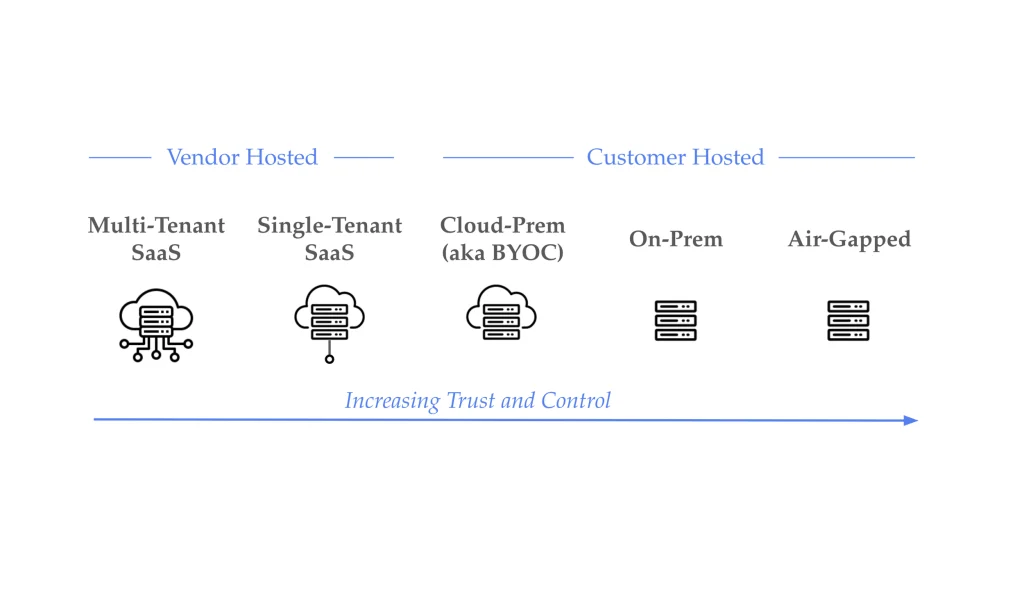
When your product runs in your customer’s cloud instead of yours, a practical problem comes up early: what happens when something breaks and you have to do something about it. On your own infrastructure you open a terminal, tail a log, describe a pod, and when the fix is obvious you restart the deployment or roll back the bad config, all in a few minutes. In your customer’s VPC or on-prem cluster you have none of that. You don’t have credentials to their environment, and your contract usually says you’re not supposed to.
The awkward part is the asymmetry: it’s your software and you know exactly how to fix it, but you can’t reach it, while your customer can reach it but doesn’t know your software. The ways teams bridge that today aren’t ideal. You can ask the customer for standing access, a kubectl config or an SSH key into their cluster, which their security team is right to resist and which leaves a credential someone has to rotate and account for long after the incident is over. You can operate by coordination, writing the commands into a ticket or a Slack thread for someone on their side to run and paste back, which is slow and leaves you debugging blind between round-trips. Or you stand up a bastion for each customer and maintain it. None of these scale past a handful of customers, and all of them come up in the security review that gates the deal, where how you plan to operate inside the customer’s environment is a question you have to answer well to win.
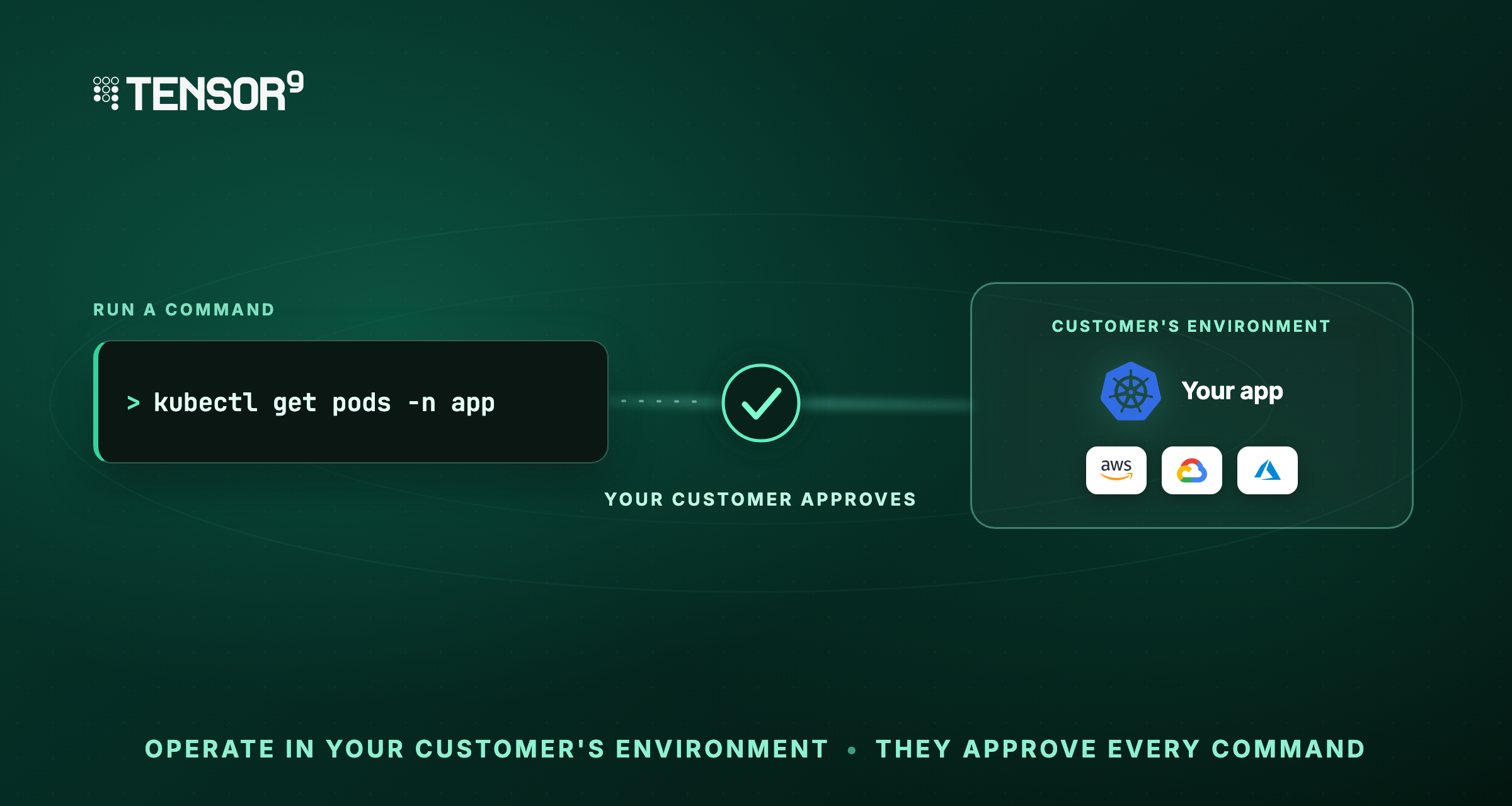
Operational commands are our answer to that question. You run a specific command against the customer’s environment, they approve it before anything executes, and no access stands open between incidents. This post covers what an operational command is, how it lets you both diagnose and fix without a shell, and where break-glass fits alongside it, with three short videos of the real flow: the template library and authoring your own, running a command with your customer in the loop, and the two-step consent where they approve the action and separately release the output. It leaves the deeper cryptography of how approvals are signed for a separate post.
Commands come from templates
An operational command is one execution of a template against one customer’s appliance, where the appliance is the customer’s environment that your product runs inside.
The reason it’s a template and not a shell comes straight from the constraint above. Your customer has to approve what you run, and nobody can meaningfully approve “anything.” A free-form command is different every time, so it forces a fresh judgment call under time pressure, can’t be approved ahead of time, and gives the customer nothing stable to audit against. A template turns an operation into a fixed, named artifact. Your customer reviews what it does once, its data access and permission level are read off it, and the same operation can be approved again later or pre-approved outright. Giving up the arbitrary shell is what makes approval, pre-approval, and a trustworthy audit trail possible in the first place.
You pick a template, fill in its variables, point it at one appliance, and your customer’s own infrastructure decides whether it runs. A template is a named, versioned, parameterized operation that your team authors ahead of time. Templates aren’t all read-only. They cover the two halves of operating software.
Reading state, to figure out what’s wrong:
list-pods,list-services,list-nodes,list-stuck-podstail-pod-logs,tail-deployment-logs,dmesg-tailtop-pods,top-nodes,heap-snapshot,cpu-profile,list-public-s3-buckets
Changing state, to fix it:
restart-deployment,restart-pods-by-labelscale-deployment,rollback-deploymentrotate-iam-access-key
The write commands go through the same approval and audit path as the reads.
What’s in a template
Your team writes its own templates, and authoring is a first-class flow.
Video 1: the template library, a read-only command next to a read-write one, then authoring a new template end to end.
To add restart-frontend, you give it a name, a one-line description, the app it targets, and the command as Terraform: a kubectl rollout restart deploy/frontend inside a tensor9_command resource. Along with it come typed variables with validation rules, so a value can be constrained rather than free text, and a data-access tag showing what the command touches.
You don’t have to author in the portal, either. Because a template is just Terraform, you can keep your templates in a GitHub repo and point Tensor9 at it, so they go through the same pull-request review as the rest of your code and sync into the library from there.
However a template arrives, you don’t set the permission tier. We lift its Terraform and read the permission off it: read-only data blocks come out ReadOnly, anything that takes an action comes out ReadWrite. That’s why List public S3 buckets is read-only, while Rotate IAM access key and your rollout restart are both writes. A vendor can’t pass off a mutating command as a harmless read, because the tier is computed from what the command does. Script, variables, tags, and tier all fold into one content hash, which is what the pre-approval story below builds on.
Commands, and when you still need a shell
The instinct, when something needs attention in production, is to get a shell on the box: an SSH session, a bastion, a just-in-time role for a few hours. It’s familiar and it works, but a shell is a broad grant. It can do anything, it sits on a machine that holds the customer’s data, and a single session covers a lot of activity at once. Used as the everyday way in, it means the customer’s security team has to account for a path into their environment that stays open whether or not anyone is on it.
Operational commands are the everyday tier, so that path stays closed for routine work. Nothing is granted ahead of time. You submit one command, your customer approves that one command, it runs, and the authorization ends with it. The unit of trust is a command, not a session, which is what makes per-command approval, pre-approval, and a precise audit trail possible.
A shell still has its place. Some incidents don’t map to any pre-defined command, and you need to get in and look around. Tensor9 ships that as a separate break-glass tier: it targets an isolated bastion rather than the appliance itself, and keeps the same customer-held approval and audit as the command path. Break-glass isn’t a lesser option, it’s a different tier for a different job. Most operational work shouldn’t have to reach for it, and once the everyday path is a scoped, approved command, break-glass goes back to being the rare exception it’s meant to be.
The two tiers side by side:
| Break-glass shell | Operational command | |
| Right for | The rare incident no command covers | Everyday diagnosis and fixes |
| Unit of trust | A session | A single command |
| Capability | Anything a shell can do | Exactly the command submitted |
| Approval | Per session | Per command |
| Audit granularity | A session of activity | One authorized command per record |
Running a command, with your customer in the loop
The flow runs end to end like this. Your software is running in your customer’s cloud, something looks off, and you need to take a look.
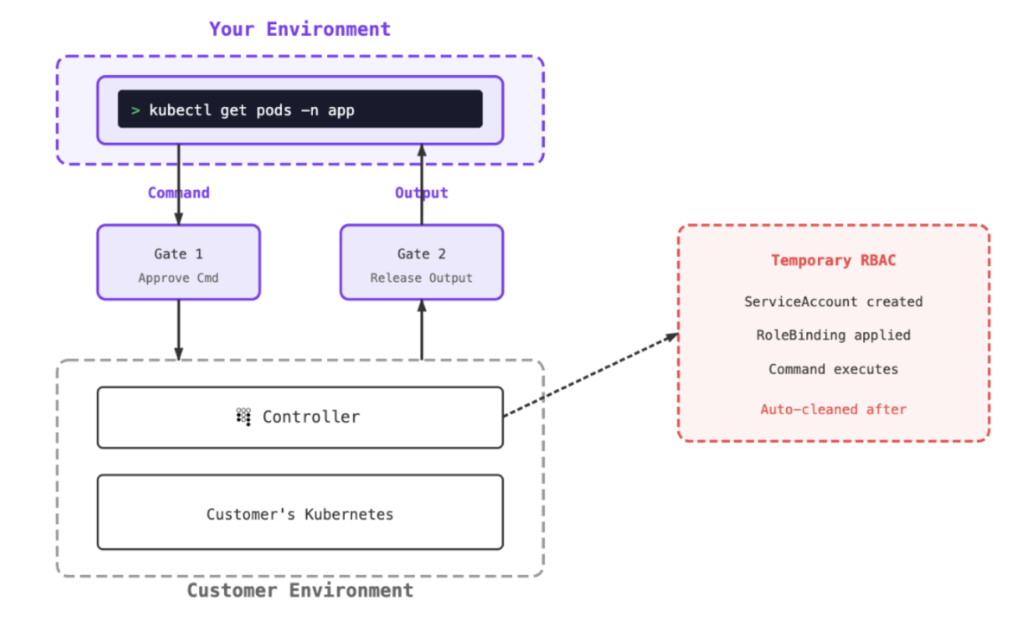
From the Tensor9 portal you pick the command rather than typing a shell line: say, list the running pods. You target the customer’s appliance, note why you’re running it, and submit. Nothing executes yet. The command sits in an “awaiting approval” state, and your customer gets a link. They open it, see the exact command and what it touches, and approve. Only then does it run, and the output comes back to you.
Video 2: the full path. Submit a command, the customer approves it (signed with a key only they hold), it runs, and they release the result back to you.
At no point in that flow did you hold your customer’s credentials. You never had a key to their environment, there’s no session to clean up when you’re done, and the thing that ran is exactly the thing they saw and approved. The approval is signed with a key only your customer holds, so you can’t forge it or flip it on their behalf. Every command that ran was provably authorized by the customer.
The video runs list-pods, a read. A fix like restart-deployment travels the same path: you submit it, your customer sees a ReadWrite command touching their infrastructure, and they approve that specific restart. It’s the same flow with more scrutiny, because the tier tells them which kind of command they’re approving.
Two approvals: the action, and the disclosure
Video 2 ended with the customer releasing the result. That release is a second decision, separate from approving the command, and keeping the two apart matters.
When a command runs, its output is held rather than streamed straight back to you. Your customer sees what data the command actually touched, tagged by category (logs, config, and so on), and they decide whether to release it. Approve the action, review the result, release the result. If they’d rather not disclose what came back, they reject the release and the output stays withheld. You approved running the command; you did not automatically approve seeing everything it produced.
Video 3: the two decisions up close. The customer approves the command, then reviews what the output touched and chooses whether to release it, including the path where they withhold it.
Splitting it matters because “may I run list-pods” and “may I see everything list-pods returned” are different questions, and in a regulated environment the second one is often what the customer’s data-governance team cares about. A diagnostic command can be reasonable to run and still surface something the customer would rather scrub or withhold. Two-phase consent gives them the seam to make that call.
What this makes possible without a shell
Two things fall out of the command-as-unit-of-trust model that a shell can’t give you.
Pre-approved templates. Some templates you run every week, and asking a customer to approve list-pods every time adds friction for no benefit. So a customer can pre-approve a template once, bound to that exact version and content hash, with the limits they set: which variable values are allowed, when the approval expires, how many times it can run. After that it runs without interruption. Edit one line of the template and the content hash changes, so it drops back to needing a fresh approval. Because the permission tier is derived rather than asserted, your customer can draw the line where it belongs: pre-approve the read-only templates broadly, and keep a human in the loop for anything ReadWrite. This gives the routine case low friction while still bounding what a pre-approval permits, which a shell session can’t do.
A clean audit trail, in the customer’s infrastructure. Because every command is scoped to a single appliance, what you run for one customer never touches another. And because each command is a discrete, authorized event, the record is precise: who submitted it, whose approval signed it, how long it ran, who released the output. That log lives in the customer’s environment, not yours, which is the version their auditors can actually trust. When someone asks who did what inside their boundary, the answer is already written down at the level of individual commands, rather than a record showing only that an engineer held a session at some point.
Where this fits
If you’re delivering software into your customers’ own environments, the operational story is usually the part that gets hand-waved until the first real incident, and then it’s urgent. The move that’s worked for us is to make the everyday work of operating the software, both diagnosing it and fixing it, a scoped, approved, audited command with no standing access, and to keep break-glass as the rare, deliberately higher-friction exception rather than the default way in.
You don’t need a list of commands to start. The useful question is the incident you’re dreading: the one that pages someone inside a customer’s environment you have no way into. If that’s a real worry, get in touch and we’ll walk through how it would play out here, against a deployment shaped like yours, with your customer holding the approvals.