Your Managed Database Now Runs In Customer Environments Anywhere

Share this:
If you’re delivering software to enterprise customers, your AWS stack probably depends on at least one managed service: DocumentDB for your database, ElastiCache for caching, Amazon MQ for messaging. These services are deeply wired into your Terraform and straightforward to operate on AWS.
But the conversation changes when an enterprise customer needs deployment somewhere else: a government agency that requires on-prem, a European bank with data residency requirements, a prospect that runs GCP. Your AWS-native stack can’t follow them to those environments.
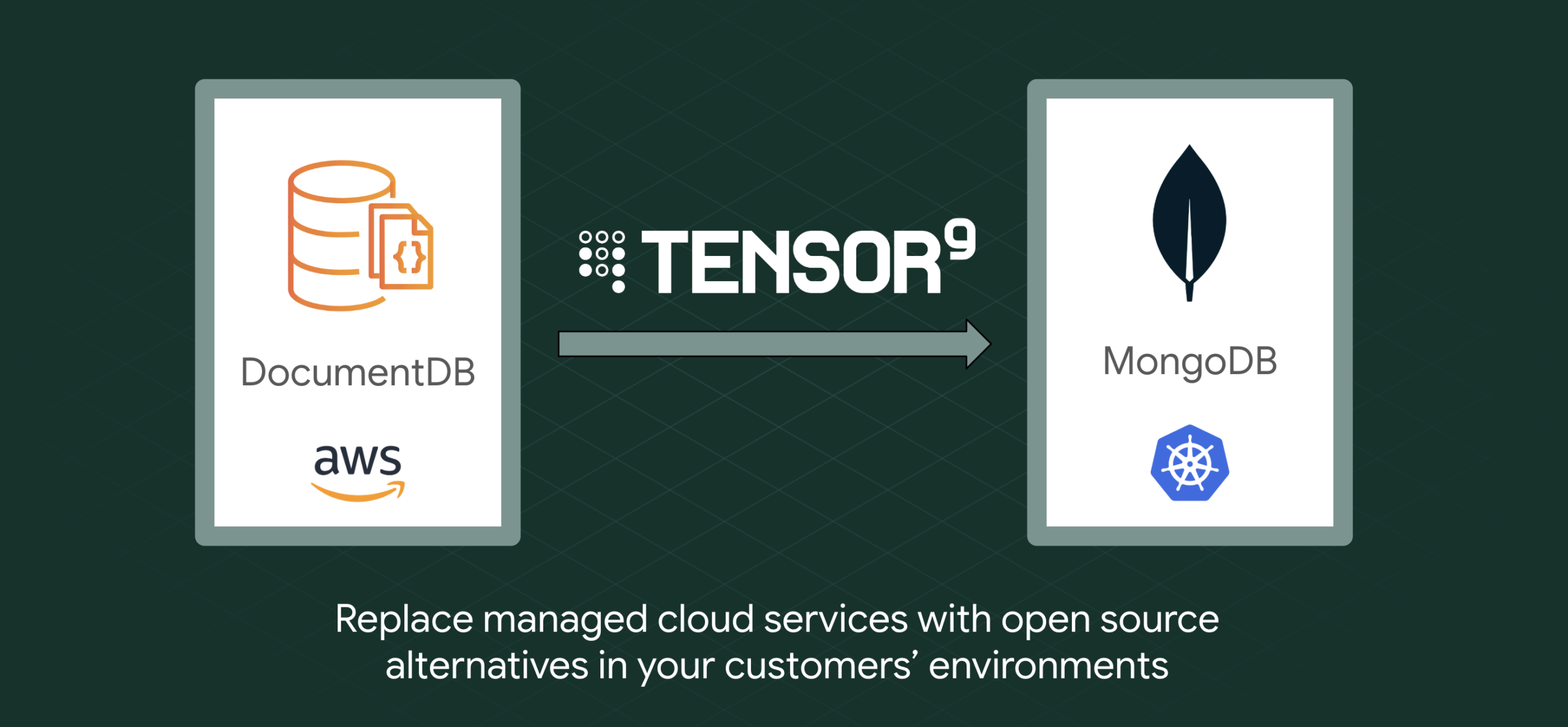
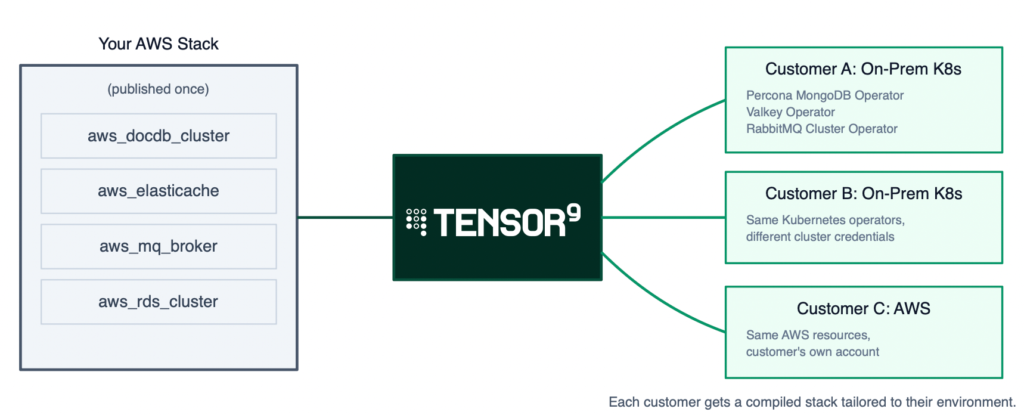
We built Tensor9 to fix this. You publish your AWS Terraform stack to the platform and choose which deployment targets (we call them form factors) to support: AWS, Kubernetes, GCP, bare-metal. Tensor9 produces a stack for each one. Credentials, replication topology, backup configuration all carry over. You maintain one stack; your customers deploy it wherever they need to.
We recently shipped MongoDB (DocumentDB) support. This post covers why DocumentDB is a particularly good fit for multi-environment delivery, what the experience looks like, and where the limitations are.
The parallel stack tax
Supporting both AWS and Kubernetes traditionally means maintaining two parallel Terraform stacks. Every change to one requires a corresponding change to the other: upgrades, configuration changes, and bug fixes all get duplicated.
The engineering cost compounds quickly. You’re doubling the testing surface, the release process, and the support matrix. A database upgrade applied to your AWS stack but missed on the Kubernetes variant becomes a production incident at your customer’s site.
On the sales side, every deployment target you can’t support is a deal you can’t close. “Can you deploy to X?” is a yes-or-no question, and “we’ll need six months to build that” is effectively a no.
Customers feel this too. From their side, it means waiting for vendor engineering to build and test the on-prem variant, dealing with feature gaps between targets, and wondering whether the version running in their environment gets the same attention as the vendor’s primary cloud deployment.
How teams handle this today
We’ve talked to a lot of vendors about this, and the approaches fall into a few categories. None of them are great.
The most common is maintaining a separate Terraform stack for each target environment. Your AWS stack uses DocumentDB; your Kubernetes stack uses the Percona Operator or a Helm chart for self-hosted MongoDB. Both stacks deploy the same application, but the infrastructure code is completely independent. Every database version bump, every config change, every new environment variable has to land in both places. In practice, the secondary stack drifts. Changes get missed, testing gaps widen, and your customer’s deployment quietly falls behind your primary one.
Some teams try to avoid the problem by dropping the managed service entirely. Instead of DocumentDB on AWS and Percona on Kubernetes, they run self-hosted MongoDB everywhere, including on AWS. This gives you one database technology across all targets, but you lose the operational benefits that made DocumentDB attractive in the first place: automated patching, managed backups, built-in failover. You’re now running and maintaining MongoDB yourself on every target, including the one where AWS would have done it for you.
A third approach is building a Terraform abstraction layer: a module with conditionals that deploys DocumentDB when the target is AWS and Percona when the target is Kubernetes. This works in theory, but the abstraction gets complicated fast. DocumentDB and Percona have different configuration schemas, different credential management, different backup models. The conditional logic grows with every feature difference between them, and someone on your team has to understand both sides deeply enough to keep the abstraction honest.
And then there’s the option of saying no. You tell the prospect you only support AWS, and you lose the deal. For some vendors that’s the right call; the engineering cost of multi-environment support isn’t justified by the revenue. But for vendors where enterprise customers are a meaningful segment, each “no” has a real cost, and the deals you lose are often the largest ones.
And this is just the database. Most vendor stacks depend on multiple managed services: a database, a cache, a message broker, maybe a search engine. Each one has its own equivalent on each target, its own configuration differences, its own abstraction headaches. The cost of every approach above multiplies with each service in your stack.
Why DocumentDB is a good fit for multi-environment use cases
Amazon DocumentDB is one of the most common managed database choices we see in vendor stacks. The appeal is straightforward: it’s MongoDB-compatible, so your application uses standard MongoDB drivers and query patterns. AWS handles provisioning, patching, replication, backups, and failover. You get a document database that scales with your application for near-zero operational overhead.
That MongoDB compatibility is also what makes DocumentDB well-suited for multi-environment delivery. Your application talks to DocumentDB using the MongoDB wire protocol, so the queries, drivers, and connection string format all carry over to any MongoDB-compatible target. What changes between environments is the operational layer underneath: who provisions the cluster, manages replicas, and runs backups.
On Kubernetes, the Percona Operator for MongoDB (an open-source Kubernetes operator maintained by Percona) handles that operational layer. We call this a service equivalent: Percona MongoDB is what DocumentDB becomes when you target Kubernetes. The operator supports provisioning, scaling, automated backups, credential rotation, rolling upgrades, and more. Your application connects to MongoDB the same way in both environments, even though the infrastructure running it is completely different.
Tensor9 bridges the two. It reads your DocumentDB configuration (instance sizes, replication counts, backup windows, credentials) and produces the equivalent Percona Operator configuration. When you update your source stack, the generated output reflects the change automatically. To be clear: this is equivalent functionality, not identical runtime behavior. DocumentDB and Percona MongoDB are different engines with different performance characteristics. But for the application layer, the interface is the same.
What Tensor9 preserves
We get asked about this a lot, so here’s the specific list for MongoDB deployments:
- Credentials. Your
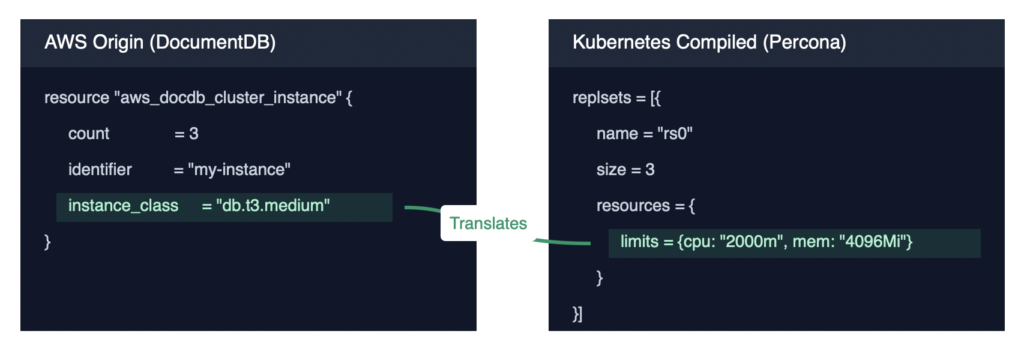
master_usernameandmaster_passwordbecome a Kubernetes Secret that the Percona Operator references for authentication. Your application connects with the same credentials it uses on AWS. - Replication topology. A three-instance DocumentDB cluster becomes a three-replica MongoDB deployment. Instance class (db.t3.medium, for example) maps to equivalent Kubernetes resource limits (2 vCPUs, 4 GB memory).
- Backup configuration. Backup windows defined on your DocumentDB cluster translate to cron schedules on the Percona Operator’s backup config.
- Connection references. If your application Terraform references
aws_docdb_cluster.service.endpoint, Tensor9 rewrites that reference to point at the equivalent Kubernetes service DNS name. Your application code and the rest of your Terraform stay unchanged.
Before and after
To make this concrete: here’s a simplified view of what goes in and what comes out. The first block is your existing AWS stack; the second is what Tensor9 generates for Kubernetes.
Your published AWS stack:
resource "aws_docdb_cluster" "service" {
  cluster_identifier      = "my-docdb-cluster"
  engine                  = "docdb"
  master_username         = "dbadmin"
  master_password         = aws_secretsmanager_secret_version.db_pw.secret_string
  preferred_backup_window = "07:00-09:00"
}

resource "aws_docdb_cluster_instance" "service" {
  count              = 3
  identifier         = "my-docdb-instance-${count.index}"
  cluster_identifier = aws_docdb_cluster.service.id
  instance_class     = "db.t3.medium"
}
What Tensor9 produces for Kubernetes:
resource "kubernetes_manifest" "psmdb_cluster" {
  manifest = {
    apiVersion = "psmdb.percona.com/v1"
    kind       = "PerconaServerMongoDB"
    metadata = {
      name      = "my-docdb-cluster"
      namespace = "mongodb"
    }
    spec = {
      replsets = [{
        name = "rs0"
        size = 3
        resources = {
          limits = { cpu = "2000m", memory = "4096Mi" }
        }
      }]
      secrets = {
        users = "my-docdb-cluster-secrets"
      }
      backup = {
        enabled  = true
        schedule = [{ name = "daily", schedule = "0 7 * * *" }]
      }
    }
  }
}
The output is standard Terraform, so terraform apply deploys a Percona MongoDB replica set to the customer’s Kubernetes cluster. The Percona Operator itself gets installed automatically as a service dependency during deployment.
Why Percona, and what’s next
There are several solid options for running MongoDB on Kubernetes: the official MongoDB Operator, KubeDB, Bitnami, and Percona, among others. We started with Percona because it’s fully open-source, includes Day-2 automation (scheduled backups, sharding, rolling upgrades) without a license requirement, and has a mature CRD model that maps well to DocumentDB’s configuration surface. But Percona is our first supported equivalent, not the only one we plan to support. We will add more options over time, and customers can always bring their own MongoDB equivalent if they have a preferred operator or managed service already in use. The goal is optionality: giving vendors and their customers choices that fit their environment, not locking them into a single path.
Self-hosting on Kubernetes isn’t the right fit for every customer, though. Some vendors’ customers would prefer a managed MongoDB service like Atlas, especially if they want to avoid stateful workloads on Kubernetes entirely or need features specific to the Atlas ecosystem. We’re working on adding Atlas as a target so vendors can offer their customers the choice that best fits their operational model, whether that’s fully self-hosted, managed cloud, or somewhere in between.
Beyond MongoDB
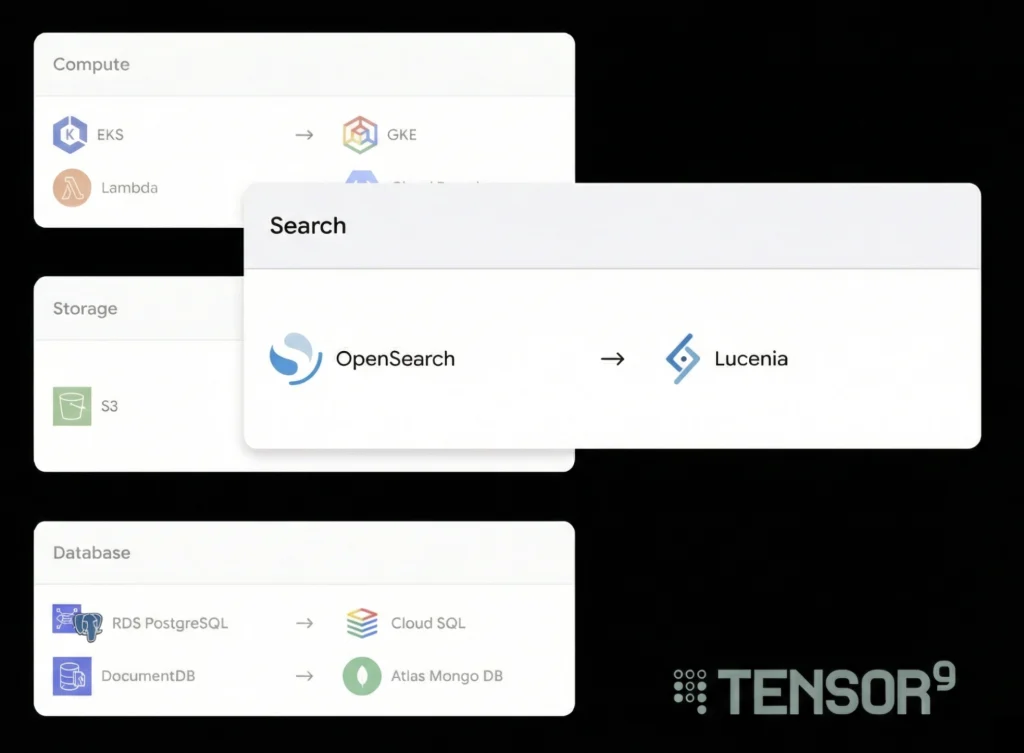
MongoDB joins a growing set of service equivalents that Tensor9 supports for multi-environment deployment. These include replacements for ElastiCache (Valkey), RDS (PostgreSQL), Amazon MQ (RabbitMQ), and more.
Each supported service follows the same pattern: Tensor9 reads your AWS resource configuration, maps it to the equivalent for the target platform, and generates deployable Terraform. Adding a new target platform for any supported service (say, MongoDB Atlas on GCP) extends coverage without changes on your side.
Further considerations
Automating the infrastructure transformation removes the largest piece of work, but it doesn’t remove all of it. There are a few things worth planning for:
Feature parity gaps. DocumentDB and Percona MongoDB don’t have identical feature sets. Tensor9 flags what it can’t map (deletion_protection, for example, has no CRD equivalent), but some gaps require operational workarounds on your customer’s side.
Performance tuning. Matching DocumentDB performance characteristics on a self-hosted MongoDB replica set takes more than mapping instance classes to resource limits. Storage I/O, network topology, and connection pooling all differ between environments. We typically work with vendors to validate performance on their specific workload before going live with a customer.
Data migration. Tensor9 handles infrastructure, not data migration. If your customer is moving from an existing DocumentDB deployment to a Kubernetes deployment, the data move is a separate effort. For new deployments (where there’s no existing data to migrate), this isn’t a factor.
None of these are blockers on their own, but they’re the kinds of things that go smoother when you plan for them upfront rather than discover them during a customer deployment. We work with vendors during onboarding to identify gaps early and figure out the right approach for each one.
Try It With Your Stack
The fastest way to see what this looks like for your infrastructure: bring your Terraform stack and we’ll show you the compiled output. You’ll see exactly which services transform, how credentials and configuration carry over, and where any gaps exist.
If your stack is already on GitHub, it takes about five minutes. Reach out to us: https://www.tensor9.com/book-a-demo/